
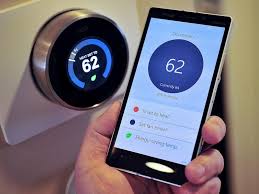
Yes, smart thermostats can significantly save energy by learning your habits, allowing remote control, and optimizing heating/cooling schedules. They adapt to your lifestyle, reducing waste and lowering utility bills without sacrificing comfort.
Understanding Smart Thermostats
A smart thermostat is like a brain for your home’s heating and cooling. It does more than just turn the air on or off. It connects to your home’s Wi-Fi network.
This lets you control it from your phone or a computer. You can even talk to some of them using voice commands.
These devices learn about your daily routines. They figure out when you’re usually home and when you’re away. They also learn how long it takes to heat or cool your house.
This information helps them make smarter decisions about your comfort and your energy use.
Think of it this way: your old thermostat was like a light switch. It was either on or off. A smart thermostat is more like a dimmer switch.
It can adjust things gradually. It helps you find the perfect balance between comfort and saving energy.
The main goal of a smart thermostat is to reduce wasted energy. Much of the energy we use for heating and cooling goes out the window when we’re not home. Or when we’re asleep and don’t need the house to be super warm or cool.
Smart thermostats aim to stop this waste.
They use clever technology to achieve this. This includes things like geofencing, which uses your phone’s location. It knows when you’re leaving or coming home.
It also has advanced scheduling features. These go way beyond the simple weekday/weekend settings of older programmable models.
Why Smart Thermostats Save Energy
The biggest reason smart thermostats save energy is their ability to adapt. They don’t just follow a rigid schedule. They adjust based on real-time information and your unique patterns.
This makes them much more efficient than older systems.
One key feature is learning. Many smart thermostats watch how you use them. They see when you manually adjust the temperature.
They also note when you turn the system down because you’re leaving. Over time, they build a profile of your life.
This learning helps them create an automatic schedule. This schedule is tailored just for you. It means your system isn’t running full blast when no one is home.
It also ensures your home is comfortable when you need it to be. This targeted approach cuts down on unnecessary energy use.
Another big energy saver is remote control. Imagine you’re on your way home from work. You realize you forgot to adjust the thermostat before you left.
With a smart thermostat, you can pull out your phone. You can set the perfect temperature from anywhere.
This is a huge advantage. You don’t have to heat or cool an empty house. You can wait until you’re almost there.
Or, if you’re stuck in traffic, you can adjust it then. This prevents over-cooling or over-heating your home for hours.
Smart thermostats also use geofencing. This uses your smartphone’s location. When your phone leaves a certain area around your home, the thermostat can switch to an “away” mode.
It will then save energy. When your phone comes back into the area, it starts warming or cooling your home.
This is great because it’s automatic. You don’t have to remember to set it. It works even if your schedule changes unexpectedly.
It’s a very hands-off way to save energy. It adds up over weeks and months.
Then there are energy reports. Most smart thermostats give you insights into your usage. They show you how much energy you’re using.
They can also show you how your settings are affecting your bills. This data helps you understand your habits better.
You can see when you’re using the most energy. You can also see where you might be able to save more. These reports are like having a personal energy coach.
They guide you toward better efficiency.
Finally, many smart thermostats are designed to work with energy-saving programs. Utility companies often offer these programs. They might involve short, planned adjustments to your thermostat during peak energy demand times.
Your thermostat can participate automatically. This helps the power grid and can earn you bill credits.
Smart Thermostat Features That Boost Savings
Learning Capabilities: Automatically adapts to your schedule and temperature preferences.
Remote Access: Control your thermostat from anywhere using a smartphone app.
Geofencing: Uses your phone’s location to adjust settings when you’re away or returning.
Energy Reports: Provides data on your usage to help you save more.
Smart Home Integration: Works with other devices for added efficiency.
Voice Control: Easy adjustments using voice assistants like Alexa or Google Assistant.
A Real-Life Energy Saving Story
I remember when my parents first installed a smart thermostat a few years ago. My dad was pretty skeptical. He’d always used the same old manual thermostat.
He thought it was a waste of money. He said, “How much can a thermostat really save?”
Well, we were about to find out. The first month was a bit of an adjustment. We had to get used to the app.
We learned how to set the schedules. We even had a few funny moments where we accidentally made it too cold when we were trying to warm up.
But then, the first energy bill came. It was noticeably lower than the usual December bill. My dad was surprised.
He even double-checked the bill to make sure it was right. He started paying more attention to the app and the little reports it showed us.
We learned that we were often leaving the house for a few hours each day. And we were heating an empty space. The smart thermostat would notice we were gone.
It would then lower the temperature by a few degrees. This was happening without us even thinking about it.
Another time, I was working late. I was on the train heading home. I remembered I’d left the heat on high all day.
I quickly opened the app on my phone. I turned the temperature down. It saved us from having the furnace run for another hour or two.
What really impressed us was how it learned our habits. After a couple of months, it seemed to know exactly when we woke up. It would start warming the house about 30 minutes before.
It was ready when we stepped out of bed. This felt like luxury, but it was also smart energy use.
The biggest takeaway for my parents was that it didn’t feel like a sacrifice. We didn’t have to shiver or sweat. The house was always comfortable.
But the energy bill was proof that the system was working smarter. It was using less energy. It made my dad a believer.
He even started telling his friends about it. He’d say, “You know, that fancy thermostat thing? It actually works.” It went from being a gadget to a tool that genuinely helped our household budget.
It showed that technology can make real, tangible differences in our daily lives and our wallets.
How Smart Thermostats Work with Your HVAC System
Your Heating, Ventilation, and Air Conditioning (HVAC) system is what keeps your home comfortable. It’s made up of several parts. These include a furnace or boiler for heat.
It also has an air conditioner for cooling. A fan moves the air around your house.
The thermostat is the control center for all of this. It tells the HVAC system when to turn on and off. It also dictates the desired temperature.
A smart thermostat takes this role and elevates it. It makes smarter, more informed decisions.
When a smart thermostat detects that the room temperature is too low. It sends a signal to your furnace or boiler. This tells it to turn on and produce heat.
Once the desired temperature is reached, it sends another signal to turn the heat off.
Similarly, if the room temperature is too high. It signals your air conditioner to turn on and cool the air. When the temperature drops to the set point, it signals the AC to shut off.
The “smart” part comes in how it makes these decisions. Traditional thermostats only react to the current temperature. A programmable thermostat follows a set schedule.
A smart thermostat does all of this, but it adds layers of intelligence. It uses data to make better choices.
For example, when a smart thermostat learns your schedule. It knows that between 9 AM and 5 PM on weekdays, the house is usually empty. So, instead of keeping the house at a comfortable 72 degrees.
It might set it back to a more energy-saving 65 degrees.
It also uses sensors. These sensors measure the current temperature. Some advanced models might even have humidity sensors.
This allows them to provide more precise comfort control. They can also predict how long it will take to reach a certain temperature.
This prediction is important. If it’s very cold outside. It might take longer for your furnace to warm the house.
A smart thermostat can factor this in. It can start heating earlier. This ensures your home is warm when you expect it to be.
It avoids that chilly wait.
The communication between the thermostat and your HVAC system is usually done through wires. These wires connect the thermostat to the various components of your HVAC unit. Modern smart thermostats often have a small base unit.
This connects to your home’s electrical system and the HVAC wiring.
The Wi-Fi connection allows the thermostat to communicate with its app. This app is on your smartphone or tablet. You can then send commands to the thermostat.
You can also receive information from it. This two-way communication is what makes it “smart.”
How a Smart Thermostat Works: A Simple Flow
1. Detects Room Temperature: Uses built-in sensors.
2. Compares to Setpoint: Checks against your desired temperature.
3. Learns Your Habits: Analyzes your schedule and manual adjustments.
4. Predicts Heating/Cooling Time: Estimates how long it takes to reach the setpoint.
5. Sends Signals to HVAC: Tells the furnace or AC to turn on or off.
6. Connects to Wi-Fi: Allows remote control and data reporting.
7. Receives Remote Commands: Accepts adjustments from your phone app.
Installation and Setup Considerations
Getting a smart thermostat set up in your home is usually straightforward. Most models are designed for DIY installation. However, it’s good to know a few things beforehand.
This makes the process smoother. It also ensures you get the most out of your new device.
First, check for compatibility. Most smart thermostats work with common HVAC systems. But some older or very complex systems might need a different type of thermostat.
Always check the manufacturer’s compatibility guide before buying. This is usually found on their website.
You’ll need to know if your current system uses a “C-wire.” This is a common wire that provides continuous power to the thermostat. Many smart thermostats require this wire. If you don’t have one, you might need an adapter kit or a professional installer.
Installation typically involves turning off the power to your HVAC system at the breaker box. This is a crucial safety step. Then, you remove your old thermostat.
You’ll usually see wires connected to terminals. You’ll want to label these wires so you know where they go on the new thermostat.
Most smart thermostats come with clear instructions. They often have a step-by-step guide. You’ll connect the wires to the corresponding terminals on the new thermostat’s base plate.
Then, you’ll attach the thermostat itself. Finally, you turn the power back on.
The next step is connecting it to your home’s Wi-Fi network. You’ll usually do this through the thermostat’s screen or a companion app. This is essential for remote control and smart features.
Once connected, you’ll download the app on your smartphone. You can then set up your account.
Setting up your initial schedule is important. You can start with a basic schedule. Then, let the thermostat’s learning features take over.
You can also set up geofencing if you want that automatic adjustment. Most apps guide you through these settings.
For those who aren’t comfortable with electrical wiring, professional installation is a good option. An HVAC technician can ensure it’s installed correctly and safely. They can also help you set up the advanced features.
This might cost a bit more upfront. But it can save you headaches later.
The setup process itself usually takes about 30-60 minutes for DIY. If you’re hiring someone, it might be a bit longer. But the payoff in energy savings is usually well worth the initial effort.
Quick Installation Checklist
1. Check Compatibility: Ensure it works with your HVAC system.
2. Identify C-Wire: Determine if your system has a common wire for power.
3. Gather Tools: Screwdriver, wire stripper (sometimes), drill (optional).
4. Turn Off Power: Safety first! Use your breaker box.
5. Label Wires: Mark each wire before disconnecting from the old thermostat.
6. Install New Base: Connect wires and mount the base plate.
7. Mount Thermostat: Attach the main unit.
8. Restore Power: Turn the breaker back on.
9. Connect to Wi-Fi: Follow on-screen or app instructions.
10. Set Up App: Download and configure your smartphone app.
Maximizing Energy Savings: Tips and Tricks
Buying a smart thermostat is the first step. The next is making sure you use it in the best way possible. There are several simple things you can do to squeeze even more energy savings out of your smart device.
It’s all about fine-tuning.
Let it learn: This might sound obvious, but give the thermostat time to learn your habits. Don’t override its schedule too often in the first few weeks. The more data it collects, the better it will tailor its settings for you.
Resist the urge to constantly make small manual adjustments.
Use geofencing wisely: If your thermostat has geofencing, set the radius appropriately. You don’t want it to turn off when you’re just running a quick errand. But you also don’t want it to keep heating or cooling the house if you’re going to be gone for several hours.
Test it to see what works best.
Optimize your schedules: While the learning feature is great, you can also manually tweak the schedules. Think about your actual routine. Are there times you’re always out of the house that it might miss?
Are there times you’re home but don’t need the full heating or cooling? Adjust these for even better savings.
Understand energy reports: Regularly look at the energy usage reports your thermostat provides. These reports can highlight patterns. You might see that you use a lot of energy overnight.
Maybe you can lower the temperature a few more degrees while you sleep. Or perhaps you use more on weekends. Adjust your weekend schedule.
Use vacation mode: If you’re going away for an extended period, use the vacation mode. This lets you set a temperature that will be maintained. It’s usually a wider range than your daily comfort settings.
This prevents your system from working too hard. It ensures your home stays protected from extreme temperatures.
Bundle up or dress down: This is a common-sense tip, but it’s worth repeating. If the thermostat is set to 70 degrees, and you feel a bit chilly. Put on a sweater before you reach for your phone to turn it up.
Small adjustments to your clothing can make a big difference.
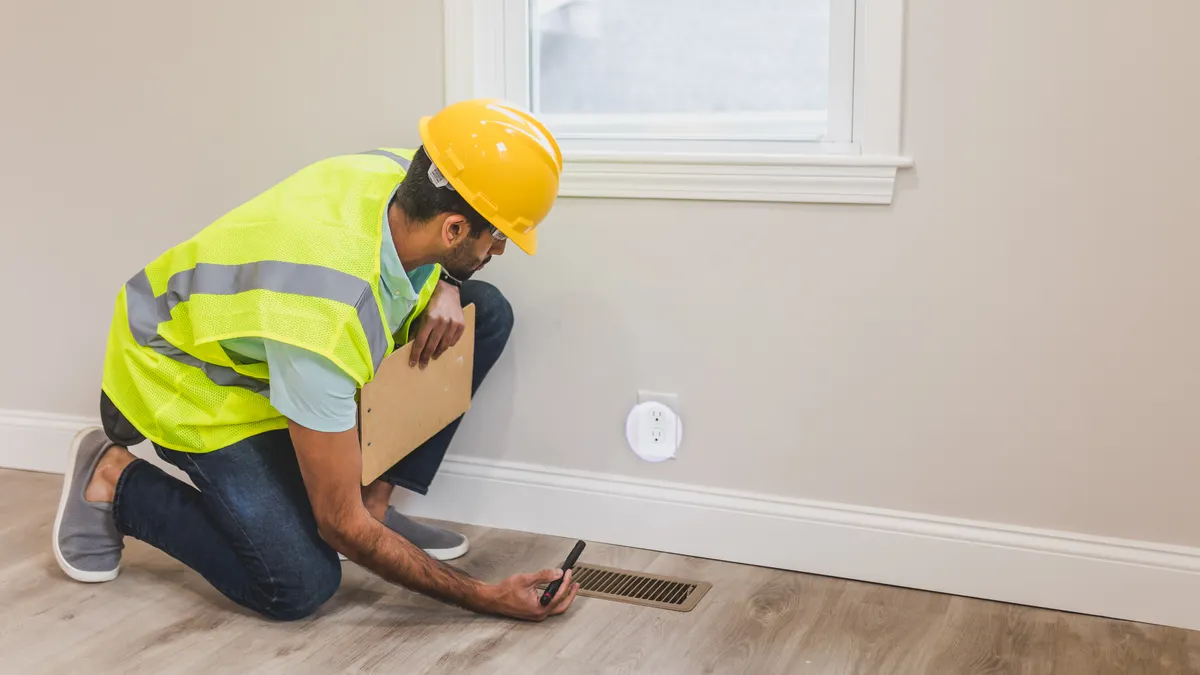
Seal air leaks: Your smart thermostat can only do so much if your home isn’t sealed well. Check for drafts around windows and doors. Seal any gaps.
Proper insulation in your attic and walls is also key. This keeps the conditioned air inside your home where it belongs.
Maintain your HVAC system: A well-maintained HVAC system runs more efficiently. Change your air filters regularly. Get your system serviced by a professional at least once a year.
This ensures it’s running in top condition and not wasting energy.
Utilize smart home integrations: If you have other smart home devices, see if they can work with your thermostat. For example, some smart lights can indicate when the thermostat is in “away” mode. This can be a visual reminder.
Pro Tips for Max Savings
Set it and forget it (mostly): Let the learning algorithms do their work.
Fine-tune settings: Make small, informed adjustments based on your real life.
Use ‘Away’ or ‘Vacation’ modes: Especially for longer periods.
Dress for the season: Adjust your clothing before your thermostat.
Seal leaks: Prevent conditioned air from escaping your home.
Regular maintenance: Keep your HVAC system running efficiently.
Smart Thermostats vs. Traditional Thermostats
The difference between a smart thermostat and a traditional one is huge. It’s like comparing a flip phone to a smartphone. Both make calls, but the smartphone does so much more.
A traditional thermostat is very basic. It usually has a dial or a few buttons. You set a temperature, and it tries to reach it.
There are no schedules. You have to manually change it every time you want a different temperature. They are cheap to buy but cost more in energy over time.
A programmable thermostat is a step up. You can set different temperatures for different times of the day. For example, you can set it to be cooler at night.
And warmer when you wake up. This saves some energy. But you have to remember to program it correctly.
And it doesn’t adapt if your schedule changes.
A smart thermostat does everything a programmable one does. But it adds a lot more. It connects to Wi-Fi.
It can be controlled with an app from anywhere. It learns your habits. It can use geofencing.
It provides energy reports. It can often integrate with other smart home devices.
Here’s a table showing the key differences:
| Feature | Traditional Thermostat | Programmable Thermostat | Smart Thermostat |
|---|---|---|---|
| Basic Temperature Control | Yes | Yes | Yes |
| Scheduling | No | Yes (Pre-set) | Yes (Learning & Manual) |
| Wi-Fi Connectivity | No | No | Yes |
| Remote Control (App) | No | No | Yes |
| Learning Capabilities | No | No | Yes |
| Geofencing | No | No | Yes |
| Energy Reports | No | No | Yes |
| Potential Energy Savings | Low | Moderate | High |
The cost is another factor. Traditional thermostats are the cheapest upfront. Programmable ones cost a bit more.
Smart thermostats have the highest initial cost. However, the energy savings from a smart thermostat can pay back that investment over time. Many studies show savings of 10-20% on heating and cooling bills.
Are Smart Thermostats Worth the Investment?
This is the big question, right? For most people, the answer is a resounding yes. The upfront cost might seem a bit high.
But the long-term benefits for your wallet and the environment are significant.
Consider the payback period. If a smart thermostat costs $200. And it saves you $150 per year on energy bills.
Then it pays for itself in a little over a year. That’s a pretty good return on investment. And the savings continue year after year.
Beyond the financial savings, there’s also the comfort factor. Smart thermostats maintain a more consistent and comfortable temperature. They avoid those moments where your home suddenly gets too hot or too cold.
The learning features ensure your comfort is prioritized.
There’s also the environmental benefit. By using less energy, you’re reducing your carbon footprint. Heating and cooling account for a large portion of a home’s energy use.
Making that process more efficient helps the planet. It’s a win-win situation.
If you have an older home with poor insulation. Or if you’re often away from home. A smart thermostat can make an even bigger impact.
It helps compensate for those inefficiencies. It ensures you’re not paying to heat or cool an empty or poorly sealed space.
Think about the convenience too. Being able to adjust your thermostat from your phone is incredibly useful. Whether you’re at work, on vacation, or just on the couch.
You have full control. This convenience adds value beyond just the energy savings.
While the initial price tag can be a hurdle. Many utility companies offer rebates or discounts on smart thermostats. This can bring the cost down significantly.
It’s worth checking with your local energy provider. They might also have programs that work with smart thermostats for further savings.
Ultimately, investing in a smart thermostat is investing in a smarter, more comfortable, and more efficient home. It’s a technology that pays for itself. And it helps you live more comfortably while being kinder to your budget and the environment.
Common Concerns and Misconceptions
Even with all the benefits, people sometimes hesitate. There are a few common worries that pop up. Let’s address them directly.
Many of these are based on misunderstandings.
“They are too complicated to use.” This is a common fear. But manufacturers design these devices to be user-friendly. The apps are usually very intuitive.
Most people find they can set them up and manage them easily. The learning features mean you don’t have to constantly fiddle with settings.
“They won’t work with my old house.” As mentioned earlier, checking compatibility is key. Most systems are compatible, especially with C-wire adapters. If you have a very unusual setup, it’s always best to consult the manufacturer or an installer.
But for the vast majority of homes, it’s not an issue.
“The savings aren’t real.” Numerous studies and user experiences confirm that smart thermostats do save energy. The key is using them correctly. If you ignore the features and keep your old manual settings, you won’t see savings.
But when you let them learn and use the remote features, savings are definitely there.
“They are a security risk.” Like any device connected to the internet, there are always security considerations. Reputable brands use strong encryption. They also have regular security updates.
Always use strong, unique passwords for your Wi-Fi network and thermostat account. Keep your software updated. This is good practice for any smart home device.
“They make my home uncomfortable.” In fact, many users find their homes more comfortable. The system is more responsive. It avoids drastic temperature swings.
The learning feature ensures your desired comfort levels are met when you need them.
“I’ll lose control if the Wi-Fi goes out.” Most smart thermostats have a backup. You can still manually adjust them on the device itself. They will operate like a programmable thermostat until your internet connection is restored.
You won’t be left freezing or sweltering.
Myth vs. Reality
Myth: Smart thermostats are too complex.
Reality: User-friendly apps and learning features make them easy to manage.
Myth: They don’t work with older homes.
Reality: Most systems are compatible, often with adapter kits for power.
Myth: Energy savings are not significant.
Reality: Proper use leads to substantial savings, often paying back the cost.
Myth: They are a major security risk.
Reality: Reputable brands offer security features; user vigilance is key.
Frequently Asked Questions
How much energy can a smart thermostat actually save?
Most studies and user reports suggest that smart thermostats can save homeowners between 10% and 20% on their heating and cooling bills. This translates to significant savings over time, especially in areas with high energy costs or extreme climates.
Do I need a C-wire for a smart thermostat?
Many smart thermostats require a C-wire (common wire) to provide continuous power. If your system doesn’t have one, many smart thermostats come with an adapter kit, or you can have one installed by an HVAC professional.
Can I control my smart thermostat when I’m not home?
Yes, this is one of the main benefits. As long as your thermostat is connected to Wi-Fi, you can control it remotely using a smartphone app from anywhere in the world.
How long does it take for a smart thermostat to learn my habits?
It typically takes about a week or two for a smart thermostat to learn your basic habits. However, it continues to refine its understanding and optimize schedules over several weeks or even months for maximum efficiency.
What happens if my Wi-Fi goes out?
If your Wi-Fi connection is interrupted, your smart thermostat will continue to operate based on its last programmed schedule. You will lose remote control functionality until your internet is back up, but it will still maintain basic temperature control.
Are smart thermostats compatible with all HVAC systems?
Most smart thermostats are compatible with most common HVAC systems, including gas, electric, oil, and heat pumps. However, it’s crucial to check the manufacturer’s compatibility list for your specific system before purchasing.
Conclusion
So, are smart thermostats the magic bullet for energy savings? While they aren’t a magic trick, they are incredibly effective tools. They offer a smart, convenient, and efficient way to manage your home’s heating and cooling.
By learning your habits, allowing remote control, and providing valuable insights. These devices truly help cut down on wasted energy. The investment pays off over time.
And you gain a more comfortable and connected home. It’s a smart move for your budget and the environment.



Leave a Reply