
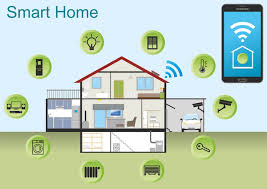
Smart home energy management is about using less power. It helps you save money. It also helps the planet. You can control devices easily. You can track usage. This makes your home efficient.
What is Smart Home Energy Management?
Smart home energy management is a way to watch and control your home’s power use. Think of it as a smart system for your house. It helps you know where your energy is going.
It also gives you ways to use less. This can be through special devices. It can also be through smart settings.
You might have smart lights. Or a smart thermostat. These are parts of energy management.
They help you make choices. Choices that save energy. This is not just about saving money.
It’s also about being kind to the environment. Using less energy means less pollution.
The goal is to be more efficient. An efficient home uses just what it needs. It doesn’t waste power.
Smart systems make this easy. They help you see the invisible. They show you energy flow.
My Frustrating Experience with High Energy Bills
I remember one summer vividly. The heat was intense. My air conditioner ran non-stop.
I kept getting these huge electric bills. I felt a knot in my stomach each time. I didn’t understand why it was so high.
I thought I was doing everything right. I’d turn off lights when I left a room. I tried to keep doors closed.
One evening, I was looking at my energy bill. I saw the jump. It was massive compared to last year.
I felt a bit panicked. Was something wrong with my AC? Was there a leak somewhere?
I spent hours online, searching for answers. I felt overwhelmed by all the technical terms.
Then, I stumbled upon information about smart thermostats. People talked about how much they saved. I was skeptical.
Could a little box on the wall really make that much difference? I decided to try one. Installing it was simple.
Setting it up was even easier.
That first month after installing the smart thermostat, I watched my bill. It wasn’t as high as the previous months. The AC didn’t seem to run as much.
I could even control it from my phone when I was away. It felt like magic. I realized how much I had been wasting without even knowing it.
This experience opened my eyes. It showed me that small changes can have a big impact. It also made me want to learn more.
More about how to make my whole home work smarter for energy.
Understanding Your Energy Bill
What to Look For:
- Kilowatt-hours (kWh): This is the main unit of energy used. Your bill shows how many kWh you used.
- Usage Trends: Check if your usage is higher than last month. Or higher than this time last year.
- Peak Hours: Some power companies charge more for energy used at certain times.
Why it Matters: Knowing these parts helps you see where you can save. It’s like knowing the map before a trip.
Why Smart Home Energy Management Matters
Managing your home’s energy is important for many reasons. For one, it saves you money. Lower energy bills mean more money in your pocket.
This money can be used for other things you need or want.
It’s also good for the planet. Many power plants still burn fossil fuels. This releases greenhouse gases.
Using less energy means these plants produce less. It helps fight climate change. Every bit helps make a cleaner world.
Smart energy use can also make your home more comfortable. A smart thermostat can keep your home at the perfect temperature. You can set schedules.
You can even have it learn your habits. This means less fuss for you. It means comfort when you need it.
Safety is another point. Some smart devices can alert you to problems. Like a water leak or a sudden temperature drop.
This can prevent bigger, more costly issues. It gives you peace of mind.
Finally, it makes your home modern. Smart homes are becoming more common. They are seen as advanced and efficient.
Investing in smart energy management can also add value to your home.
Smart Home Devices for Energy Savings
- Smart Thermostats: Learn your habits and adjust temps.
- Smart Plugs: Turn off devices when not in use.
- Smart Lighting: Dim or turn off lights remotely.
- Smart Appliances: Some can run during off-peak hours.
How Smart Energy Management Works in Your Home
Smart energy management works by connecting devices. These devices talk to each other. They also talk to you.
You can use a phone app. Or a voice assistant. Or a central hub.
Let’s look at a smart thermostat. You set a schedule. Or you tell it when you are home.
It adjusts the heat or cooling. It does this automatically. If you forget to turn down the heat, it might do it for you.
It learns your patterns. It uses less energy when you’re not there.
Smart plugs are another example. You plug a lamp into a smart plug. Then you control the plug with your phone.
You can set it to turn off at bedtime. Or turn on at sunrise. This stops “vampire drain.” That’s the power devices use even when off.
Smart lighting lets you dim lights. Or turn them off if no one is in the room. Some systems can use sensors.
They know when you leave. Then the lights go off. This is simple but effective.
It uses less electricity.
These devices collect data. They tell you how much energy each thing uses. You can see this on your app.
This helps you understand your habits. It shows you where you can improve. It’s like having a personal energy coach.
The system can also be set up to work together. For instance, your smart thermostat might sense you’re leaving. It could tell your smart lights to turn off.
This creates a coordinated effort. This is the power of a connected home.
Data and Insights You Get
- Real-time Usage: See how much power you’re using right now.
- Historical Data: Track your energy use over days, weeks, months.
- Device Breakdown: See which appliances use the most power.
- Cost Estimates: Get an idea of how much energy is costing you.
Benefit: This information helps you make smart choices.
Common Home Energy Hogs
Some parts of your home use more energy than others. Knowing these helps you focus your efforts. The biggest energy users are often heating and cooling.
Your furnace or air conditioner works hard. Especially in extreme weather.
Then there’s your water heater. Heating water takes a lot of power. If you have an older, inefficient one, it uses even more.
Appliances like refrigerators run all day and night. They are a constant draw. Though newer models are much better.
Clothes dryers are also big energy users. The heating element is powerful. Lighting is another one.
Even with LEDs, if you have many lights on, it adds up.
Electronics are a growing concern. TVs, computers, game consoles. And the chargers for all your gadgets.
Many of these have vampire drain. They use power even when turned off.
Old or leaky windows and doors let heat escape. Or let cold air in. This makes your heating and cooling work harder.
This wastes energy and money.
Top Energy Hogs
Big Users:
- Heating & Cooling Systems
- Water Heaters
- Refrigerators/Freezers
- Clothes Dryers
- Lighting
- Electronics (TVs, computers, chargers)
Areas to Check:
- Home Insulation
- Window/Door Seals
Real-World Scenarios: How Smart Management Helps
Let’s imagine a family. They go to work and school every day. Their smart thermostat is set to lower the temperature while they are gone.
This saves energy. When they are on their way home, they can use their phone. They can tell the thermostat to warm up the house.
So it’s cozy when they arrive.
Another scenario: a young person loves gaming. Their gaming PC and TV use a lot of power. They also forget to turn them off sometimes.
They can use a smart plug. This plug connects to their gaming setup. They can set a timer.
Or turn it off with their phone when they go to bed. This stops wasted energy overnight.
Consider a homeowner who travels often. They can set their smart lights to turn on and off. This makes it look like someone is home.
It adds security. It also means lights aren’t left on for days by mistake.
In the kitchen, a smart refrigerator might have features. It could alert you if the door is left open too long. Or it might run its defrost cycle during off-peak hours.
This saves money.
These are just a few examples. Smart home technology can adapt to many lifestyles. It makes energy saving automatic and easy.
It fits into your daily life without extra effort.
Scenario Spotlight: The Busy Family
Before Smart Tech: House too hot/cold when arriving home. Lights and electronics left on all day. High energy bills.
With Smart Tech:
- Thermostat: Warms/cools house on demand. Saves energy when empty.
- Smart Plugs: Turn off unused devices automatically.
- Smart Lights: Schedule them or turn off remotely.
Result: Comfort, savings, and peace of mind.
Choosing the Right Smart Devices for Your Home
When you start looking for smart devices, it can seem like a lot. Do you need everything at once? No.
Start with what makes the most sense for you. What are your biggest energy concerns?
For most people, a smart thermostat is a great first step. It directly impacts heating and cooling costs. These are usually the largest energy expenses.
Look for one that is easy to use. Check reviews for how well it learns habits.
Next, consider smart plugs. They are inexpensive. They can control almost anything you plug into them.
Use them for lamps, fans, or even entertainment systems. They are simple to install and use.
Smart lighting is another good option. You can replace your old bulbs. Or you can use smart switches.
Smart lights can change color. They can be dimmed. You can set them on schedules.
This adds convenience and saves energy.
If you are looking to upgrade appliances, check for smart features. Smart refrigerators, washing machines, and dryers can offer savings. Some can connect to your utility company.
They can run during cheaper hours.
Make sure the devices you choose work together. Many use common systems like Google Home, Amazon Alexa, or Apple HomeKit. Picking devices within the same system can make things easier to manage.
Read reviews. Compare features and prices. Think about your budget.
You don’t need the most expensive options to see benefits. Simple, well-chosen devices can make a big difference.
Getting Started with Smart Devices
Step 1: Identify Needs
- What are your biggest energy bills?
- What areas of your home are inefficient?
Step 2: Choose a Starting Point
- Thermostat: Great for HVAC savings.
- Smart Plugs: Versatile for many devices.
- Smart Lights: Combine savings with ambiance.
Step 3: Check Compatibility
- Do they work with your voice assistant?
- Are they from a reliable brand?
The Role of Automation and Scheduling
Automation and scheduling are the heart of smart energy management. They allow your home to work for you. Without you having to think about it constantly.
You set rules once. Then your home follows them.
With a smart thermostat, you can set a schedule. For example, set it cooler at night. Set it warmer during the day when you’re at work.
Then set it back to a comfortable level before you get home. This is far more efficient than setting one temperature and leaving it.
Smart lights can be scheduled. They can turn on at sunset. They can turn off at sunrise.
Or at a specific time. You can group lights together. For example, all the downstairs lights can turn off at 11 PM.
Smart plugs can also be automated. You can set a schedule for them. Perhaps you have a space heater.
You only want it to run for an hour in the morning. You can schedule the smart plug to turn on for one hour. Then turn off automatically.
Voice commands are another form of automation. You can say, “Hey Google, turn off all the lights.” Or, “Alexa, set the thermostat to 72 degrees.” This is quick and easy. It helps you manage energy on the fly.
Geofencing is also a cool feature. Some smart systems use your phone’s location. When your phone leaves a certain area around your home, the system can react.
It might lower the thermostat. It might turn off lights. When your phone returns, it can reverse these actions.
These automated actions reduce waste. They make your home more efficient. They also add convenience.
You get the benefits without the constant effort.
Automation Examples
Morning Routine:
- Lights gently brighten
- Thermostat adjusts to daytime setting
Workday Away:
- Thermostat sets back
- Non-essential devices powered off via smart plugs
- Lights turn off
Evening Return:
- Thermostat warms/cools to comfort level
- Entry lights turn on
Bedtime:
- Lights dim or turn off
- Thermostat adjusts for sleep
Understanding Peak vs. Off-Peak Energy Usage
Electricity demand isn’t the same all day. It’s usually highest in the late afternoon and early evening. This is when many people get home.
They turn on lights, TVs, and start cooking. This is called peak hours.
During peak hours, power companies often charge more. This is because they have to use more power plants. Some of these plants are more expensive to run.
Or they might be less efficient. They need to meet the high demand.
Off-peak hours are when demand is low. This is usually overnight or in the early morning. During these times, electricity is often cheaper.
Smart home energy management can help you take advantage of this. Your smart thermostat can be programmed. It can run your heating or cooling more during off-peak hours.
If you have a smart water heater, it can heat water during off-peak times.
Some smart appliances have a “delay start” feature. You can load your dishwasher or washing machine. Then set it to start running in the middle of the night.
You wake up to clean dishes or clothes. And you saved money on electricity.
Check with your local power company. They can tell you when your peak and off-peak hours are. Some even offer special rates for smart home users.
Knowing these times is key. It helps you shift your energy use. This can lead to significant savings on your bills.
Peak vs. Off-Peak Explained
Peak Hours:
- Highest electricity demand
- More expensive electricity rates
- Often late afternoon to early evening
Off-Peak Hours:
- Lowest electricity demand
- Cheaper electricity rates
- Often overnight and early morning
Smart Strategy: Shift energy-heavy tasks (like heating water or running appliances) to off-peak times.
The Role of Your Utility Company
Your local utility company plays a big part in smart home energy management. They are the ones who supply your electricity. They often have programs to help you save energy.
Many utility companies offer demand response programs. In these programs, you agree to let them remotely adjust your thermostat. Or other smart devices during times of high grid demand.
In exchange, you might get a credit on your bill. Or a special rebate on smart devices.
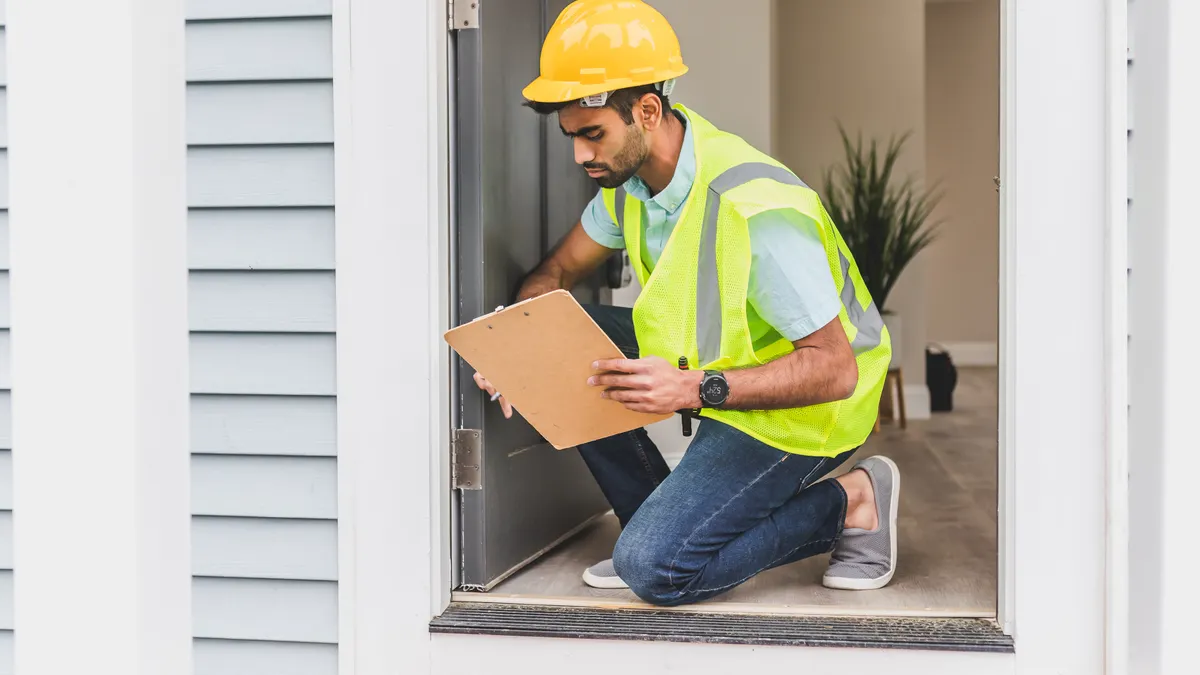
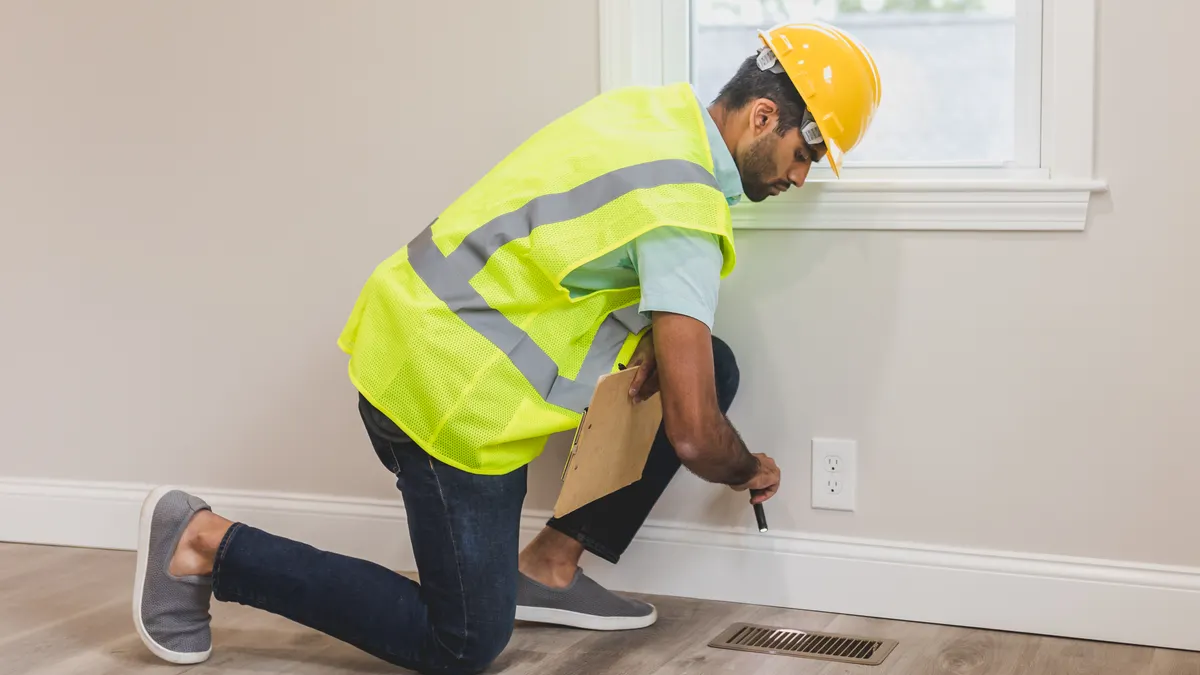
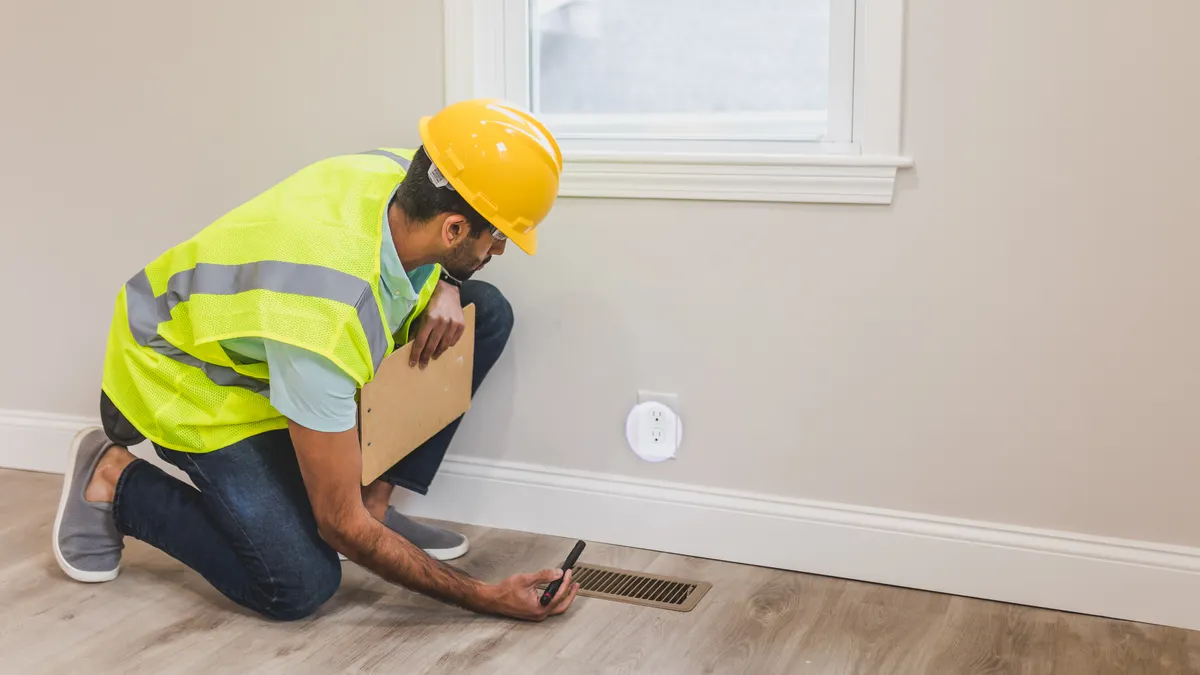
Some utilities also provide energy audits. They might come to your home. Or they offer online tools.
They help you find out where you are using the most energy. They can suggest ways to improve.
They can also inform you about your home’s energy use. Some offer detailed monthly reports. These reports show your usage patterns.
They might compare your use to similar homes in your area. This comparison can be eye-opening.
Understanding your utility company’s offerings is wise. They often have resources. These resources can help you get started.
Or help you save even more money. Websites for your local power provider are a good place to start looking.
They are also involved in grid stability. By managing your home’s energy better, you help them. You help keep the grid balanced.
This means fewer brownouts or blackouts for everyone. So, it’s a partnership.
Utility Company Programs
Demand Response: Let utility adjust thermostat for grid stability. You may get bill credits.
Rebate Programs: Get money back on smart thermostats and other energy-saving devices.
Energy Audits: Professional assessment of your home’s energy use.
Usage Reports: Detailed breakdowns of your energy consumption.
Time-of-Use Rates: Special pricing for energy used during off-peak hours.
When is it Normal and When to Worry?
It’s normal for your energy bill to change with the seasons. Higher bills in summer mean more air conditioning. Higher bills in winter mean more heating.
This is expected. Your usage will also go up if you have more people at home.
A sudden, unexplained jump in your bill is something to look at. If your energy use suddenly spikes. Without any new appliances or changes in habits, it could mean something.
Maybe a device is not shutting off properly.
If your smart thermostat is showing odd behavior. Like running constantly when it shouldn’t. Or if your lights are flickering.
These are signs to investigate. They could point to a problem with the device itself. Or with your home’s wiring.
Another sign could be heat. If an outlet or switch feels warm to the touch. That is a warning sign.
It means there might be an electrical issue. This could be dangerous. You should have it checked by an electrician.
Listen for strange noises. Buzzing from outlets or appliances can signal trouble. If you notice your lights dimming when a major appliance starts.
This is often normal. But if it’s happening more often, or if it’s severe, it warrants a check.
With smart home systems, watch for connectivity issues. If devices are frequently going offline. Or if your app is showing errors.
It might be a problem with your Wi-Fi. Or the device itself may be failing. Most systems are reliable, but occasional hiccups can happen.
In short, trust your gut. If something feels off with your energy use or your smart devices, it’s worth looking into. Most issues are minor.
But it’s always better to be safe than sorry.
Red Flags to Watch For
Sudden Bill Increase: Unexplained jump in energy costs.
Device Malfunction: Smart devices acting strangely or not working.
Overheating Outlets/Switches: Indicates potential electrical problems.
Strange Noises: Buzzing from appliances or electrical components.
Frequent Connectivity Loss: Smart devices often offline.
Action: Investigate minor issues. Call a qualified electrician for electrical concerns.
Quick Tips for Smarter Energy Use Now
You don’t need to buy all new smart gadgets to start saving energy. There are simple steps you can take right now. These are low-cost or no-cost changes.
Unplug unused electronics. Anything with a light or a clock is likely using power. Use power strips. You can easily switch them off.
This stops “vampire drain.”
Use natural light. Open curtains and blinds during the day. Let the sun warm and light your home. This reduces the need for artificial light and heat.
Adjust your thermostat. Even a few degrees can make a difference. Set it a little cooler in winter. A little warmer in summer.
Especially when you’re sleeping or away.
Seal air leaks. Check around windows and doors. Use caulk or weatherstripping. This stops drafts.
It makes your home more energy efficient.
Use appliances wisely. Run your dishwasher and washing machine only when full. Air dry clothes when possible.
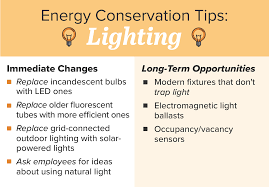
Switch to LED bulbs. If you haven’t already, replace old incandescent bulbs. LEDs use much less energy. They also last a lot longer.
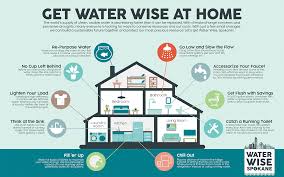
Take shorter showers. Heating water uses a lot of energy. Cutting shower time can make a noticeable difference.
These small changes add up. They can lower your energy bills. They also help the environment.
Start with one or two. See how easy it is to make a difference.
Immediate Energy Saving Actions
- Unplug: Power down unused electronics.
- Sunlight: Use natural light and heat.
- Thermostat Tweak: Adjust by a few degrees.
- Seal Leaks: Weatherstrip windows and doors.
- Full Loads: Run appliances only when full.
- LED Bulbs: Switch to energy-saving lighting.
- Shorter Showers: Reduce hot water use.
Frequently Asked Questions
Is smart home energy management expensive?
The initial cost of smart devices can vary. Smart plugs and bulbs are quite affordable. Smart thermostats can be a bigger investment.
However, the energy savings over time often pay back the cost. Many utility companies offer rebates too. This can lower the upfront expense.
Do I need a fast internet connection for smart energy devices?
Most smart home energy devices don’t need super-fast internet. They use very little data. A stable Wi-Fi connection is important.
It ensures your devices can communicate. And that you can control them through apps. A standard home internet plan is usually sufficient.
How do I know if my home’s wiring can handle smart devices?
Most modern smart devices are designed for standard home wiring. They don’t draw a lot of power. However, if you have very old wiring.
Or if you plan to install many devices. It’s wise to have an electrician check your system. They can ensure your wiring is safe and up to code.
Can smart energy management help reduce my carbon footprint?
Yes, absolutely. By using less energy, you directly reduce the demand for power generation. This often means fewer fossil fuels are burned.
This lowers greenhouse gas emissions. Smart energy management is a key way to make your home more eco-friendly.
What happens if my power goes out? Do smart devices stop working?
When the power goes out, most smart devices will turn off. This is normal. They will typically turn back on automatically when power is restored.
Some devices might need to reconnect to your Wi-Fi. Many have settings to resume their previous state or a default safe state.
Is it difficult to set up and use smart energy management systems?
Most smart home devices are designed for easy setup. They often come with clear instructions. You usually download an app.
Then follow on-screen prompts to connect the device. For many people, the setup is straightforward. If you run into trouble, online guides and customer support are usually available.
Conclusion
Managing your home’s energy use is a journey. It’s about making smart choices. Smart technology can be a great helper.
It makes saving energy easier. It can also save you money. Start with small steps.
Learn about your home. You’ll be surprised at the difference you can make. Enjoy a more efficient, comfortable, and cost-effective home.


Leave a Reply